


How to Double Track Guitars: Tight, Wide Rhythm Tones at Home
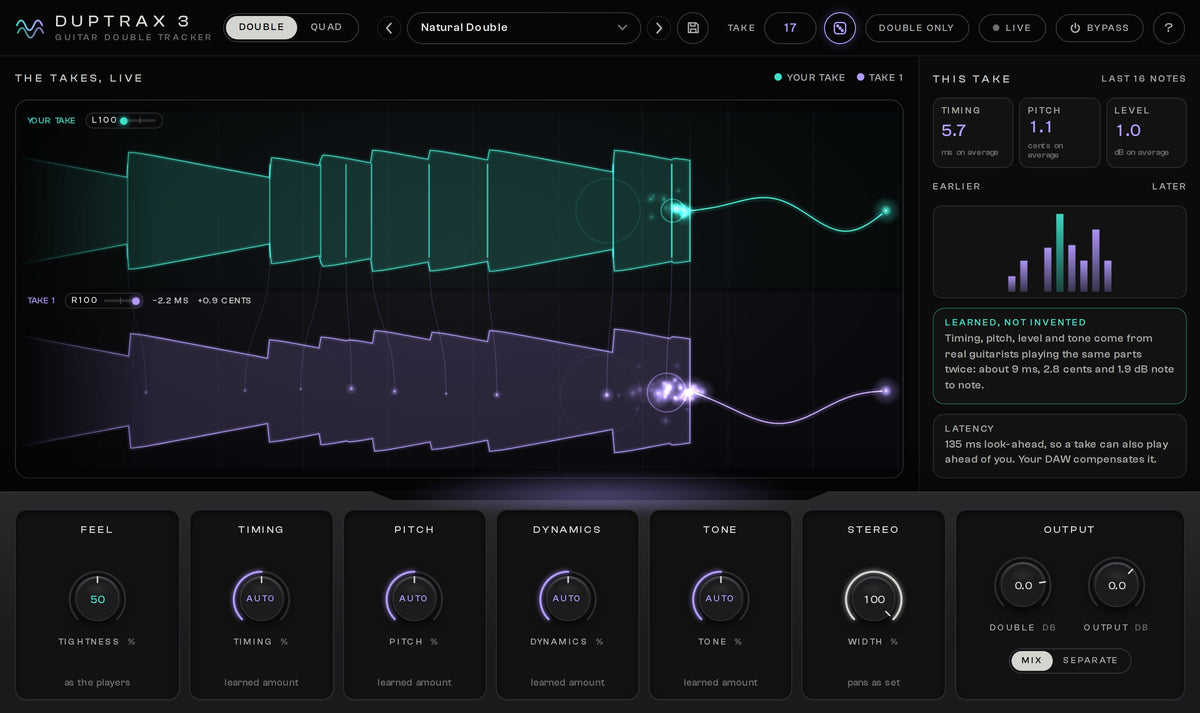
To double track a guitar, record the same part twice as two separate performances, then pan one take hard left and the other hard right. The width does not come from the panning alone. It comes from the small differences between the two performances: nobody hits every note at exactly the same moment, with the same pick attack and the same tuning, twice in a row. Your ears read those differences as two guitars, one on each side.
This guide covers how to record a real double, how tight it has to be, the mistakes that make doubled guitars sound small, and what you can do when a second take is not possible. That last case is why I built DupTraX 3, so I will also show exactly how it works and where its limits are.
What double tracking is, and why it sounds wide
Double tracking means the same rhythm part is in the song twice, played twice. One performance sits in the left speaker, the other in the right. Because the two are never identical, left and right carry slightly different signals all the time, and that difference is what a listener hears as width and size.
The differences are smaller than most people expect. On the real double takes that DupTraX 3 learned from, the second take differs from the first by about 9 ms in timing, 2.8 cents in tuning and 1.9 dB in level from note to note. (A cent is a hundredth of a semitone.) Nobody hears those as mistakes. Together they are the sound of two players.
This also explains why the obvious shortcut fails. If you copy one take to a second track and pan the two copies left and right, both speakers play exactly the same signal. The same signal on both sides is mono: the guitar just gets louder in the middle. Width needs a second performance.
How to double track guitars, step by step
- Know the part before you record. Practice until you can play it the same way twice: same fingering, same picking pattern, same palm mutes, same note lengths. Most messy doubles were still being written while the recording ran.
- Tune before every take. Two guitars slightly out of tune with each other sound sour, most of all on chords that ring for a bar or more.
- Record to a click or to the drums. Both takes need the same time reference.
- Record take 1 until you have a performance you would keep on its own.
- Record take 2 on a new track. Play the part again from the start. Do not copy and paste, not even one bar.
- Pan take 1 100 % left and take 2 100 % right. Hard panning gives the most width and leaves the centre free for kick, snare, bass and vocals.
- Match the two sides. They should feel equally loud. The same amp settings on both sides give the classic tight sound; a slightly different cabinet or microphone on one side adds width and costs a little focus.
- Listen in mono once. The guitars get quieter, which is normal. If they turn thin or hollow, the two sides are not two real performances.
Two habits make all of this easier. First, use less gain than you would for a single guitar: two distorted takes add up, and a tone that sounds a little dry alone sounds big and clear when it is doubled. Second, record a clean DI signal next to your amp tone. A DI lets you change the amp sound later and repair timing with clean cuts; I wrote down how I record DI tracks in a separate short guide.
How tight do the two takes have to be?
Tight where it is audible, human everywhere else. The places that give a sloppy double away are always the same:
- Palm-muted chugs and fast single-note riffs. Two attacks that land too far apart sound like a flam, one hit heard twice, instead of one big hit.
- Starts and stops. If one guitar rings into a rest while the other is already silent, the stop loses its punch. Mute both takes at the same moment.
- Long chords. Timing matters less here and tuning matters more.
How tight is tight enough depends on the style. Tight rhythm guitars in modern metal and djent sit almost edited-tight; rock and punk live from a looser double that pushes and pulls a little. The goal is the same in both: the listener should hear one huge guitar, not two players chasing each other.
If a section will not sit, record it again in shorter pieces, 4 or 8 bars at a time. Moving notes of a DI onto the grid works too, but do not edit both takes until they are identical: once the differences are gone, so is the width. For the amp and mix side of a tight rhythm sound, see my guide to metal guitar tones from recording to final mix.
The mistakes that make doubled guitars sound small
- Copying the take. The same signal left and right is mono, as described above.
- Fake double tracking with a short delay. A copy delayed by 10 to 30 ms on one side sounds wide in headphones, but both sides still carry the same performance. Summed to mono, on a phone speaker for example, the delayed copy partly cancels the original and the tone turns hollow. The side that plays first also sounds closer, so the guitar leans to that side.
- Chorus or a pitch-shifted copy. The copy moves against the original in a regular pattern, and the ear hears a wobble or a swirl, not a second player.
- Too much gain. Heavy distortion flattens the pick attack. Two flat takes blur into each other, and the riff loses its definition exactly where you wanted it bigger.
- Panning halfway. At 50 % left and right the two takes overlap in the middle and fight the vocal and the snare.
- A second take that plays something else. A different slide, bend or vibrato sticks out at once. Keep those simple in doubled rhythm parts.
Quad tracking: when four guitars help
Quad tracking is the same idea with four performances, two on each side. A common starting point is the first pair at 100 % left and right and the second pair a little inside, around 70 or 80, and a few dB quieter. The inner pair often gets a different amp sound to fill out the tone.
Four takes multiply everything, the problems included. Every extra performance has to be as tight as the first two, or the attacks smear. Quad tracking pays off on slower, heavier parts and big choruses; on fast, technical riffs two tight guitars usually sound bigger and clearer than four. If you want a single guitar part to sound wide without doubling it, that is a different technique, which I describe in how to create stereo guitar sounds.
When a second take is not an option
Recording the part twice is the right answer, and it is not always available:
- The part is at the edge of your ability. One good take took an hour, and a second one that matches it would take the whole evening.
- There is only one take: a DI from an old session, or a band member who recorded the part once and sent the file.
- You are writing, and you want to hear the riff wide now, not after tracking it again.
- The part was improvised and you cannot repeat it note for note.
- You play live on your own and want the doubled sound without a second guitarist.
The usual ways to fake a double track from one take are the copy, the delayed copy and the chorus from the list above, and they sound like what they are. What all of them lack is a second performance: every note landing a little differently, the way it does when a person plays the part again. I built DupTraX 3 so one good take is enough.
How DupTraX 3 plays the second take from one recording
DupTraX 3 is a double tracker for guitars. From one recorded take it plays a second take of the same part, the way a guitarist plays a part again: a little earlier or later on each note, with its own intonation, picking strength and tone. It is not a delay or a chorus. How much a second take differs was learned from real double-tracked guitars, so every control starts where real players are.
This is the whole process on a recorded part:
- Put it first on the DI track. Insert DupTraX 3 as an effect on your clean DI guitar track, before the amp sim. A mono or a stereo track both work; DupTraX 3 always plays back in stereo.
- Give each side its own amp. There are two ways. If your amp sim has a stereo mode, put it after DupTraX 3 on the same track and switch that mode on, so your take and the double each go through the amp on their own side. If the amp sums to mono, the double collapses into one guitar. With any other amp sim, copy the DI to a second track and put DupTraX 3 on the copy: turn on Double only, drag take 1's pan to C and set Double to +3 dB, so the amp gets the same level as your DI. That track now plays just the new take. Put the amp sim on both tracks and pan them left and right in your mixer, just like a real double.
- Press play. Your take is on the left, the new take on the right. The takes view shows every note, and you see each one come a little earlier or later than yours.
- Pick a preset. There are 14. Natural Double plays it like a real second take, everything as learned. Tight Metal Rhythm and Djent Surgical are for edited-tight modern rhythm parts, Loose Rock and Live Feel for a looser double, Clean Strum for clean or acoustic chords.
- Set the feel. Tightness at 50 is like the real players; turn it right for an edited, session-tight double, left for a looser, more live feel. Timing, Pitch, Dynamics and Tone set how much each note differs from yours. Auto is the learned amount, and Timing at 0 % plays every note exactly with yours. For distorted power chords keep Pitch at or below Auto; clean and acoustic strums can take a little more.
- Choose the performance. Every Take number is its own performance, and the same number plays the same one on every playback and every bounce. If you do not like it, press the dice for a new one.
- Print it if you want. With Double only on, bounce the track and you have the new take on its own, to mix like a real one.

Four guitars from one take
Switch from Double to Quad and DupTraX 3 plays three new takes next to yours, two guitars on each side: your take and take 1 at L100 and R100, takes 2 and 3 at L70 and R70. Every take has its own pan, and the Quad presets set the new takes a few dB lower, as you would in a mix.
One thing to know: on a single track the Quad takes are mixed before the amp sim, two to each side. That is great for clean tones. For a distorted Quad, give every take its own amp. Copy the DI to 3 more tracks and set up DupTraX 3 on each copy as in step 2, in Double mode, with a different Take number on each copy. Then pan the four tracks L100, R100, L70 and R70 in your mixer. The user guide walks through it step by step.

Playing live
DupTraX 3 also comes as an app that runs without a DAW. Plug your guitar into your audio interface, load your own amp sim inside the app and play. In Live mode your guitar comes through with zero latency and the doubles follow just behind you, like a second player standing next to you.
It runs on Windows 10 and 11 (64-bit) as a VST3 plugin and as the app with ASIO, and on macOS 11 or newer, on Intel and Apple Silicon, as Audio Unit, VST3 and the app. There is no AAX version for Pro Tools.
The fastest way to judge it is on your own riff. The free 7-day trial is the complete plugin and needs no payment: install it, sign in to the free Plugins & Apps Manager app with your store account and start the trial.
If you would rather listen first, take the blind test on the product page: 6 riffs, each in two versions through the same amp, one with a real second take and one with a DupTraX 3 double. You pick the real one. In my blind tests the double was very hard to tell apart from the real thing.
Honest limits, and when to still record two takes
- It wants a clean DI. DupTraX 3 works best on a clean DI guitar track, placed before the amp sim, so every take goes through the amp like a real double. If all you have is the finished amp tone, for example the processed sound of a hardware modeler or a miked amp recorded without a DI, the amp is already in front of DupTraX 3. With the amp first, every take comes out of one and the same amp sound: they sound like a copy, not like another player through another amp. You get less out of it that way. If you record through a modeler, record the dry guitar next to the processed sound from now on; many modelers and audio interfaces can send both.
- It doubles what you played. The new take follows your take note by note. A take that is out of time or out of tune stays that way, twice. Get one good take first.
- It is made for guitar. Rhythm parts are its home: riffs, power chords and strummed chords, clean or distorted. It also works under a solo, with the Lead Double preset. It is not made for vocals or bass.
A real second take is still worth recording when you can play the part tight twice and have the time for it. It is also the only way when you want the second guitar to be different on purpose: another guitar, another pickup, another chord voicing. DupTraX 3 plays the same part from the same recording; it cannot pick up a different instrument.
Double tracking FAQ
Can I double track a guitar with only one take?
Not by copying it: a copy panned to the other side is still mono. A double needs a second performance. A guitar doubler plugin that plays the part again note by note, such as DupTraX 3, can create that second performance from one take, best from a clean DI recorded before the amp.
Is copying a guitar track and panning it the same as double tracking?
No. Two identical copies panned left and right add up to one louder guitar in the middle. Delaying one copy by 10 to 30 ms sounds wider in headphones, but it turns hollow in mono and leans to one side.
How should I pan double tracked guitars?
100 % left and 100 % right for the two main rhythm guitars. In a quad, keep the first pair at 100 and put the second pair a little inside, around 70 or 80, and a few dB quieter.
Should both guitars use the same tone?
The same guitar and amp settings on both sides give the tightest, most focused sound, which is the usual choice for metal rhythm guitars. A slightly different cabinet, microphone or guitar on one side sounds wider and a little less focused. Both are valid; decide by ear and check in mono.
What is the difference between double tracking and quad tracking?
Double tracking is two performances of the same part, one on each side. Quad tracking is four, two on each side. Quad sounds thicker on slow, heavy parts and needs much tighter playing; on fast riffs two guitars are usually clearer.
Do I need a DI track to use a guitar doubler plugin?
For DupTraX 3, a clean DI is where it works best: it goes first on the DI track and the amp sim comes after it, so every take goes through the amp like a real double. On an already amped recording every take shares one amp sound and the result is closer to a copy.
Does DupTraX 3 add latency?
On recorded tracks DupTraX 3 looks a little ahead, because a real second take can also play slightly ahead of you. Your DAW makes up for that automatically, so everything stays in time with the song. For playing live there is Live mode: you hear yourself straight away and the takes follow a few milliseconds behind.
Which plugin formats and systems does DupTraX 3 support?
VST3 and the app with ASIO on Windows 10 and 11 (64-bit); VST3, Audio Unit and the app on macOS 11 or newer, on Intel or Apple Silicon. It works in any DAW that loads VST3 or Audio Unit plugins. Pro Tools (AAX) is not supported.
Try it on your own riff
If you can record the part twice, do it: tune, play to the click, pan 100 % left and right, and keep both takes human. When there is only one take, or the second one will not get tight, let DupTraX 3 play it again.
Start the free 7-day trial of DupTraX 3
The DupTraX 3 product page has the blind test, the signal routing for every setup and a full video tour. My other tools for guitarists and producers are in plugins and apps.
Recommended for you
Shop Related Products
Explore our mix-ready guitar and bass tones for your digital rig used by thousands of producers


Continue reading
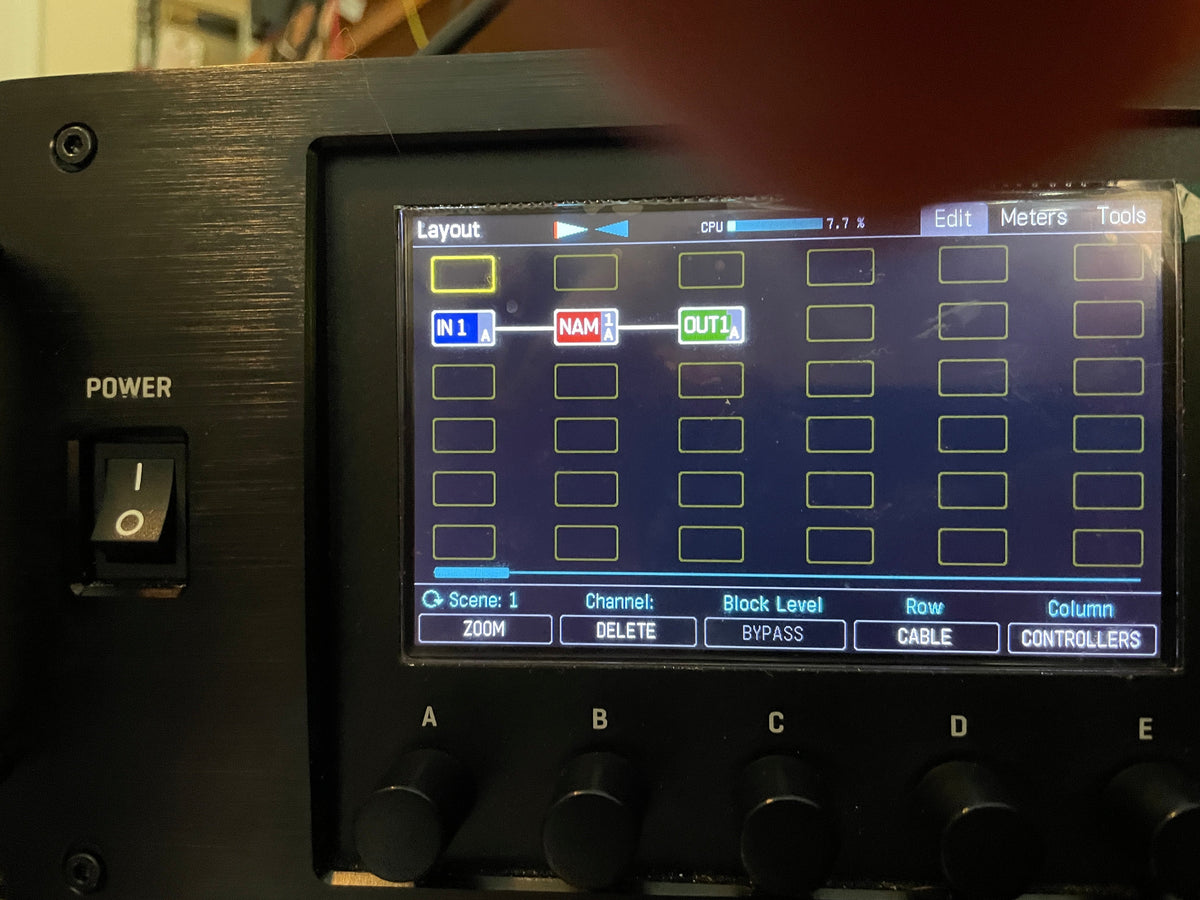
"Heh." Cliff Chase Just Showed a NAM Block Running on the Axe-Fx III
Cliff Chase posted one word and one photo, and the Fractal forum exploded. A NAM block is running on the Axe-Fx III, on a...
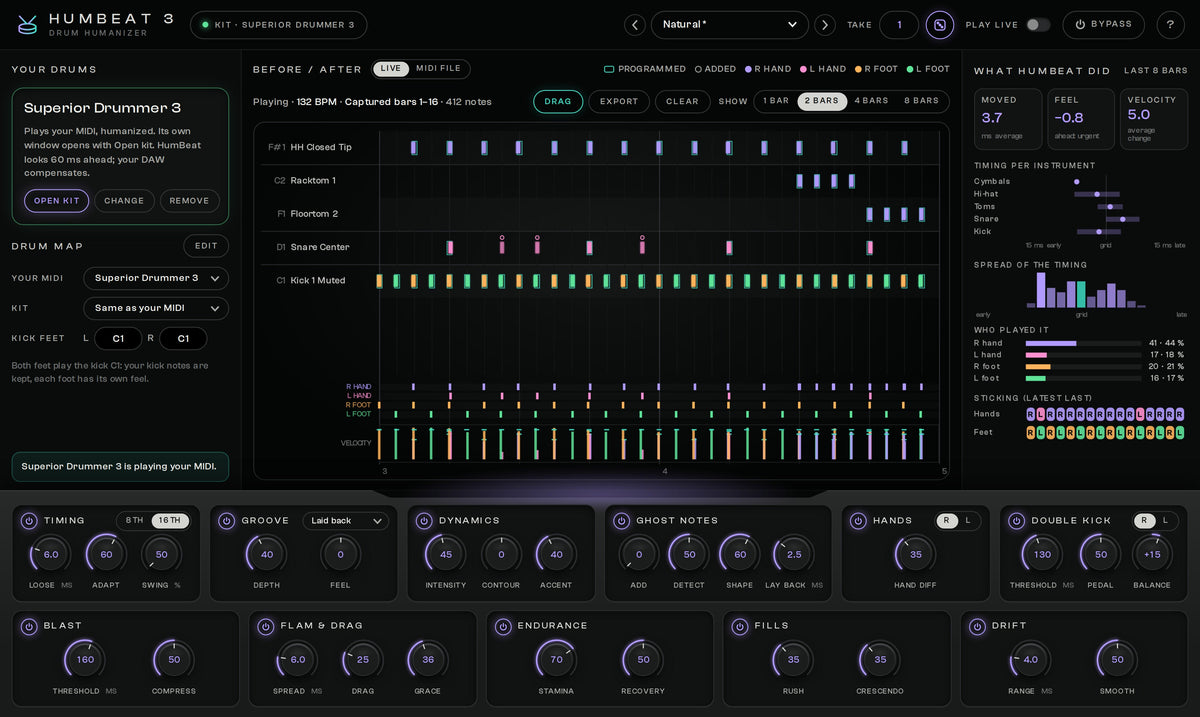
How to Humanize MIDI Drums: Make Programmed Drums Sound Real
Programmed drums sound like a machine because every hit is equally hard and exactly on the grid. Here is how to humanize MIDI drums...
Leave a comment
All comments are moderated before being published.
This site is protected by hCaptcha and the hCaptcha Privacy Policy and Terms of Service apply.