
IIIR-Alchemist
Version 3.0.3
Download for MacmacOS · Universal · 435.8 MB
Download for WindowsWindows · x64 · 144.3 MB
Your cart is empty
Continue shoppingBestsellers this week
Your cabinet. Reimagined.
Play through an amp profile you love. Build the cabinet around it. Ten layers, spectral shaping and live exploration give you the freedom to create your own guitar tone.
One-time purchase · Instant download · Included in the All-Access Pass
Download without signing in or checking out. Enable it after installing.
Download any installer for Mac or Windows. No account, order or payment is needed to download.
Version 3.0.3
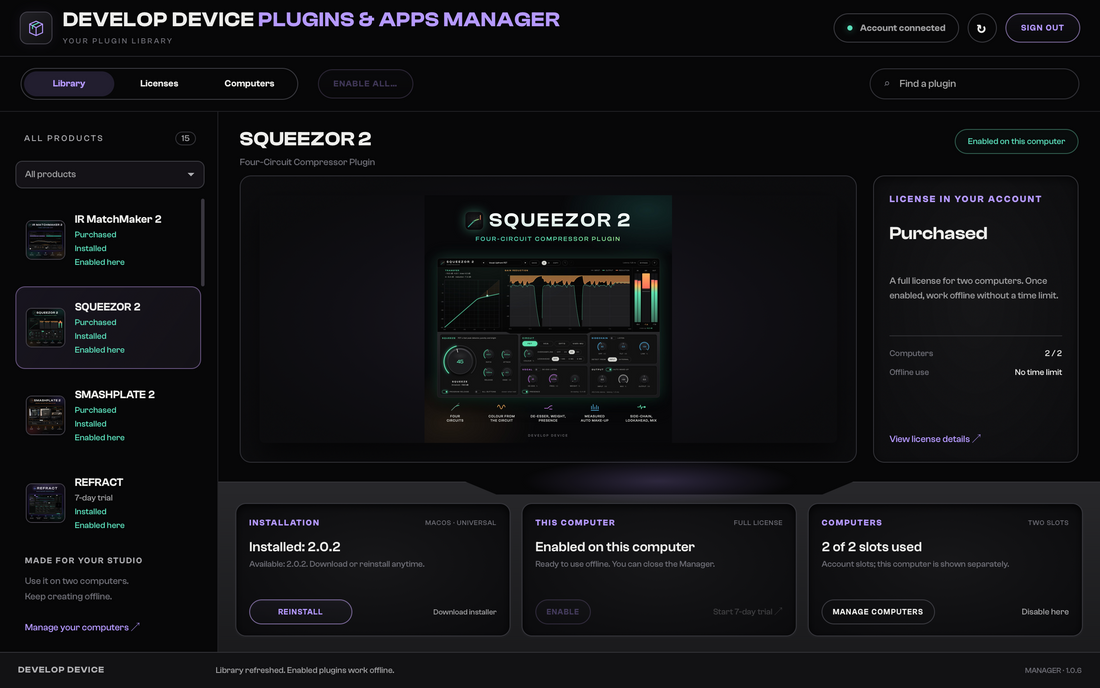
After installing, sign in to the Plugins & Apps Manager to enable a purchased license or start a free 7-day trial. Downloading and installing do not start the trial.
The product works once it is enabled with a valid license. The 7-day trial begins the first time you enable it and ends at the same time on both computers.
Already installed the Manager? Open it, sign in, select your product and choose Enable.
Browse all plugin installersOr get every plugin and app with Plugin Pass from 314,00 Kč a month.

Tutorial
A tour of the real plugin with a real guitar playing through it: load an amp profile, shape the ten cabinet layers, explore new batches, weave and sculpt the response, compare with A/B, then export your cabinet as an impulse response for your rig.
What’s new in version 3
A rebuilt workflow brings your amp and cabinet together. Keep a sound you like, push a new direction, and save the result in the format your rig needs.
NAM before the cabinet, with TONE3000 discovery built in.
Generate a batch, lock your choices and reshape the sound live.
Combine low, body and edge, then sculpt resonance and space.
Save one mix, selected layers or a set of sample-length variants.
Amplifier · NAM + TONE3000
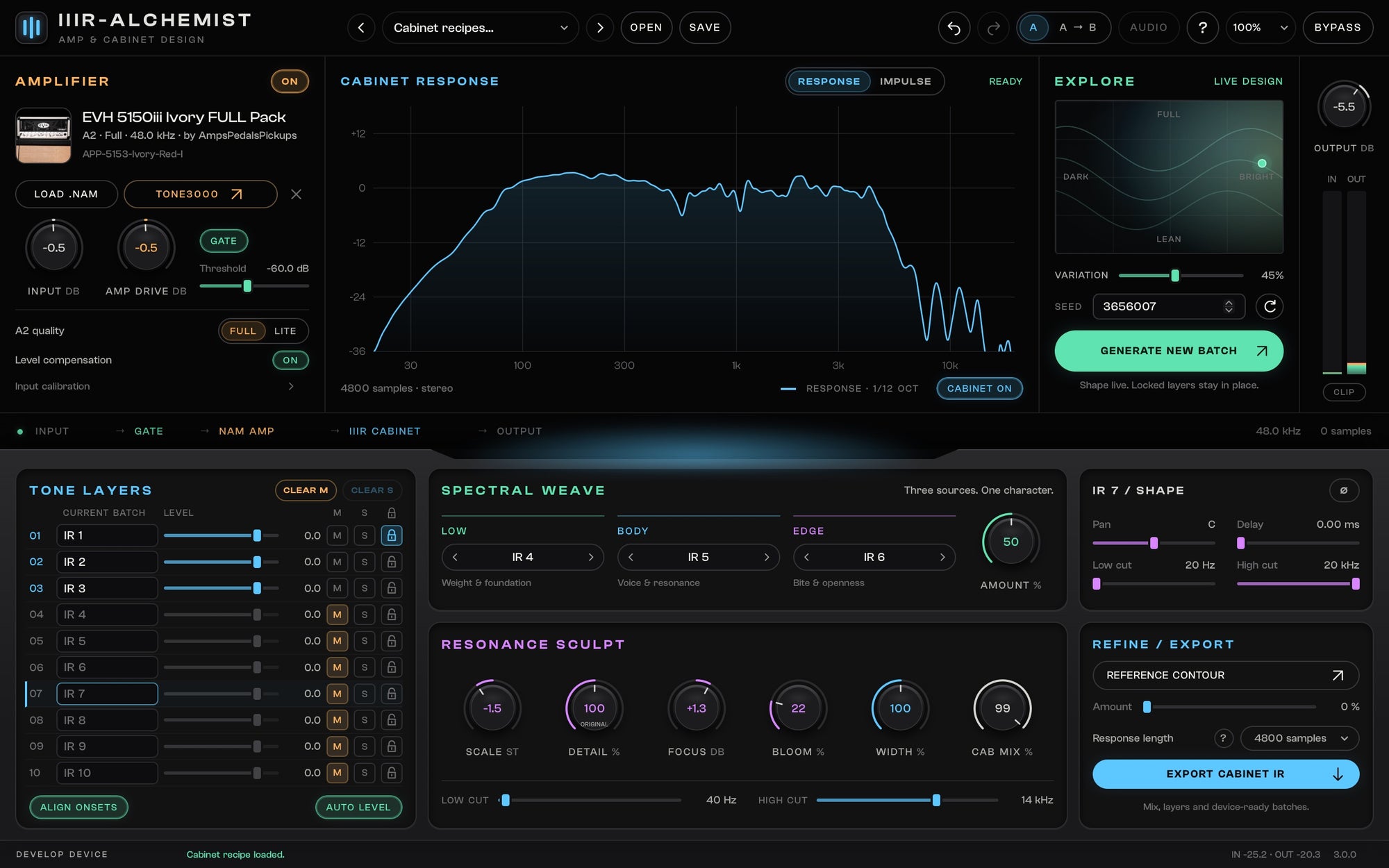
Put a NAM amp profile before the cabinet and hear every design decision through it. Open TONE3000 to discover profiles immediately, browse the available models and load your choice without leaving the plugin.

Tone Layers · Explore
Generate ten cabinet choices, audition them and lock the ones that belong in your sound. A new batch refreshes the unlocked slots. Move across Explore to shift from dark to bright and from lean to full while you play.
Spectral Weave · Resonance Sculpt
Borrow the foundation from one layer, the body from another and the edge from a third. Then shift the resonances, smooth or emphasise their detail, and add the space of early reflections.
Reference Contour offers a further direction from comparable source and reference recordings, with a controlled amount of correction.

Hear it
Real guitar takes played through IIIR-Alchemist: an amp profile first, then a cabinet built in the plugin. Nothing added afterwards. Every demo plays at the same loudness and rings out in full.
A rhythm riff into a ringing final chord through the Dense core recipe: a full, tight low end and a smooth top.
The same performance through Silver edge: more open and cutting.
The same performance through Forward voice: leaner lows, the mids up front.
The same performance through a fresh Explore batch pulled toward dark and full.
Dense core with Spectral Weave at zero: the layers simply blended.
The same take with Weave at full: low, body and edge each borrowed from its own layer.
A gallop riff into a ringing chord, Dense core with Resonance Sculpt at rest.
The same take with the resonances moved lower, more detail and a little early room.
A higher single-note riff and a held note through Dense core.
Two takes of the same part, each through the plugin, panned left and right.
Cabinet IR export
Export exactly the cabinet choices you want to keep. Combine your layers into a single response, save a selection individually, or make a complete collection in one pass.
Save the current cabinet blend or combine only the soloed layers into one WAV. Your shaping and cabinet response travel together.
Export all ten, the audible layers or the soloed selection. Save the finished mix alongside its audible individual alternatives.
Create multi-length packs, or use the format guide for Helix/HX, Helix Stadium, Quad Cortex and Ampero II. See the length in samples before you export.
IR export captures the cabinet, not NAM distortion or the gate. Shorter responses use a tapered tail; longer files are padded with silence. Hardware format presets follow the manufacturers’ manuals; check your device’s current import requirements.
For existing Alchemist owners
IR-Alchemist, Pro, X and X2 owners qualify for the upgrade. Version 3 installs alongside your existing plugins, so earlier sessions stay intact.
Ready for your setup
Before you play
IIIR-Alchemist is version 3 of the Alchemist cabinet-design family. It combines a NAM amp-profile loader with a ten-layer cabinet designer. Build a batch, keep the layers you like, reshape the response and export your cabinet as a WAV impulse response.
Owners of IR-Alchemist, IR-Alchemist Pro, IR-Alchemist X or IIR-Alchemist X2 receive 30% off IIIR-Alchemist. Sign in with the email used for your original purchase. The eligible price is applied automatically at checkout; no code is needed. This upgrade offer ends on 31 October 2026 at 23:59 CET. It will not continue into November or return in December.
Yes. IIIR-Alchemist replaces IIR-Alchemist X2 in the All Plugins Bundle. Existing bundle owners receive the current version in their downloads at no extra cost. This does not promise future unrelated plugins.
Lifetime Access alone does not include plugins. A separately purchased Plugins & Apps Upgrade, or an eligible active All-Access Pass, provides access under its existing membership terms. The new All-Access subscription provides access to all included products, downloads and updates only during the paid period. When the plan ends, subscription files are removed from your download orders and the included plugins and apps stop working. Separately purchased products and perpetual licences already earned through the previous All-Access Pass are preserved.
Load supported .nam profiles, including A2 and A1 models, before the cabinet. A2 Full/Lite quality is available for models that support both sizes. Browse TONE3000 inside the plugin, or load a local file. Third-party profile licences and availability are set by their creators.
Once, to enable IIIR-Alchemist on your computer. After that, cabinet design and already downloaded local profiles work offline. TONE3000 sign-in, browsing and new downloads need an internet connection and your TONE3000 account. Amp profiles shown in screenshots are examples and are not bundled with the installer.
Export the current cabinet mix, a soloed mix, all ten individual layers, audible layers, soloed layers, or a mix plus its audible layers. Optional length packs create 512, 1024, 2048, 4096 and 8192-sample versions. Choose mono or stereo WAV and 16-bit, 24-bit or 32-bit float. Individually normalized layers are standalone cabinet choices, not additive mix stems.
No. Export captures the cabinet response. NAM amp distortion, the gate, Cab Mix and input/output gain are not baked into a static cabinet IR. Use the exported IR after an amp or amp profile.
The export guide includes presets based on official manuals for Helix/HX, Helix Stadium, Quad Cortex, Ampero II and Ampero II Stomp. It sets the corresponding sample rate, sample count and format. Other units can use a compatible WAV export; check your device manual. Hardware-specific imports have not been physically tested.
Yes. The macOS installer includes native Intel and Apple Silicon versions of the VST3, AU and standalone app, for macOS 11 or newer. Windows 10/11 64-bit includes VST3 and a standalone app with ASIO support.
No. IIIR-Alchemist uses a separate plugin identity and installs alongside older versions. Existing sessions continue to use their original plugin. It is a one-time purchase.
IIIR-Alchemist
Free app for Mac and Windows
Install and update every plugin with the free Plugins & Apps Manager app for Mac and Windows.
Enable each plugin online once. Permanent licenses then work offline; Pass licenses require periodic online renewal. How it works
Plugins and apps supplied by the new All-Access subscription work only during your paid period. Separately purchased products and perpetual licences already earned through the previous pass are preserved.
Your installations, presets and projects are not deleted. Renew your Pass or buy the plugin separately and enable it online to use it again.
Every step in the real Manager: sign in, install, enable, Update all and working offline.
Watch the Manager tour (5 min)Develop Device All-Access Pass
Plugins, apps and sounds in one monthly or yearly subscription. All included downloads and updates are available during your paid period.
 IIIR-Alchemist