DupTraX 3
Version 3.1.5
Download for MacmacOS · Universal · 32.9 MB
Download for WindowsWindows · x64 · 12.4 MB
Your cart is empty
Continue shoppingBestsellers this week
Guitar double tracker · VST3 · AU · Standalone
 Guitar Double Tracker Plugin
Record your part once. DupTraX 3 plays it again, the way you would on a second take: a little ahead or behind on every note, its own intonation, its own picking. Learned from real double-tracked guitars — and in our blind tests, it’s very hard to tell apart from the real thing.
Best on DIWorks best on a clean DI guitar track. Put DupTraX 3 before your amp sim, so every take goes through the amp like a real double. See how to connect it
One-time purchase · Instant download · Included in the All-Access Pass
Intro & upgrade offers end 31 October 2026, 23:59 CET.
Intro and upgrade offers ended on 31 October 2026.
Download without signing in or checking out. Enable it after installing.
Download any installer for Mac or Windows. No account, order or payment is needed to download.
Version 3.1.5
After installing, sign in to the Plugins & Apps Manager to enable a purchased license or start a free 7-day trial. Downloading and installing do not start the trial.
The product works once it is enabled with a valid license. The 7-day trial begins the first time you enable it and ends at the same time on both computers.
Already installed the Manager? Open it, sign in, select your product and choose Enable.
Browse all plugin installersOr get every plugin and app with Plugin Pass from 315,00 Kč a month.
Own DuptraX or DuptraX Pro? Log in with the account you bought it with and 30 % comes off at checkout, automatically.

Tutorial
A tour of the real plugin with real guitar DI tracks playing through it: where it goes in your chain, the takes view, presets, Double and Quad, the feel controls, an amp sim on every take, and playing live in the standalone app.
Signal routing
A real double is two performances, each through its own amp, panned in the mix. DupTraX 3 goes before your amp sim, on the clean DI guitar. Pick how you work and watch the takes flow.
Blind test
A guitarist recorded each riff twice. In every pair below, the left side is his first take. The right side is either his real second take — or DupTraX 3, playing a second take from the left one. Both go through the same 5150-style amp profile and a Marshall 4x12 V30 cab, at the same level. Put on headphones, listen to A and B, and pick the real one.
Six pairs. Guess each one, then see if you were right.
Played again, not copied
When you double a part, your second take is never a copy. Some notes land early, some late, each is a hair differently in tune, picked a little harder or softer. A delay, a chorus or a copied track can't do that — DupTraX 3 does it note by note, from what it learned listening to guitarists play the same parts twice.


Double and Quad
Double plays one new take against yours: the classic left and right rhythm guitars. Quad plays three new takes, two guitars on each side: your take and take 1 hard left and right, takes 2 and 3 a little inside, like a real quad-tracked wall. Every take plays the part its own way, and you can move each one where you want it, right on its lane.
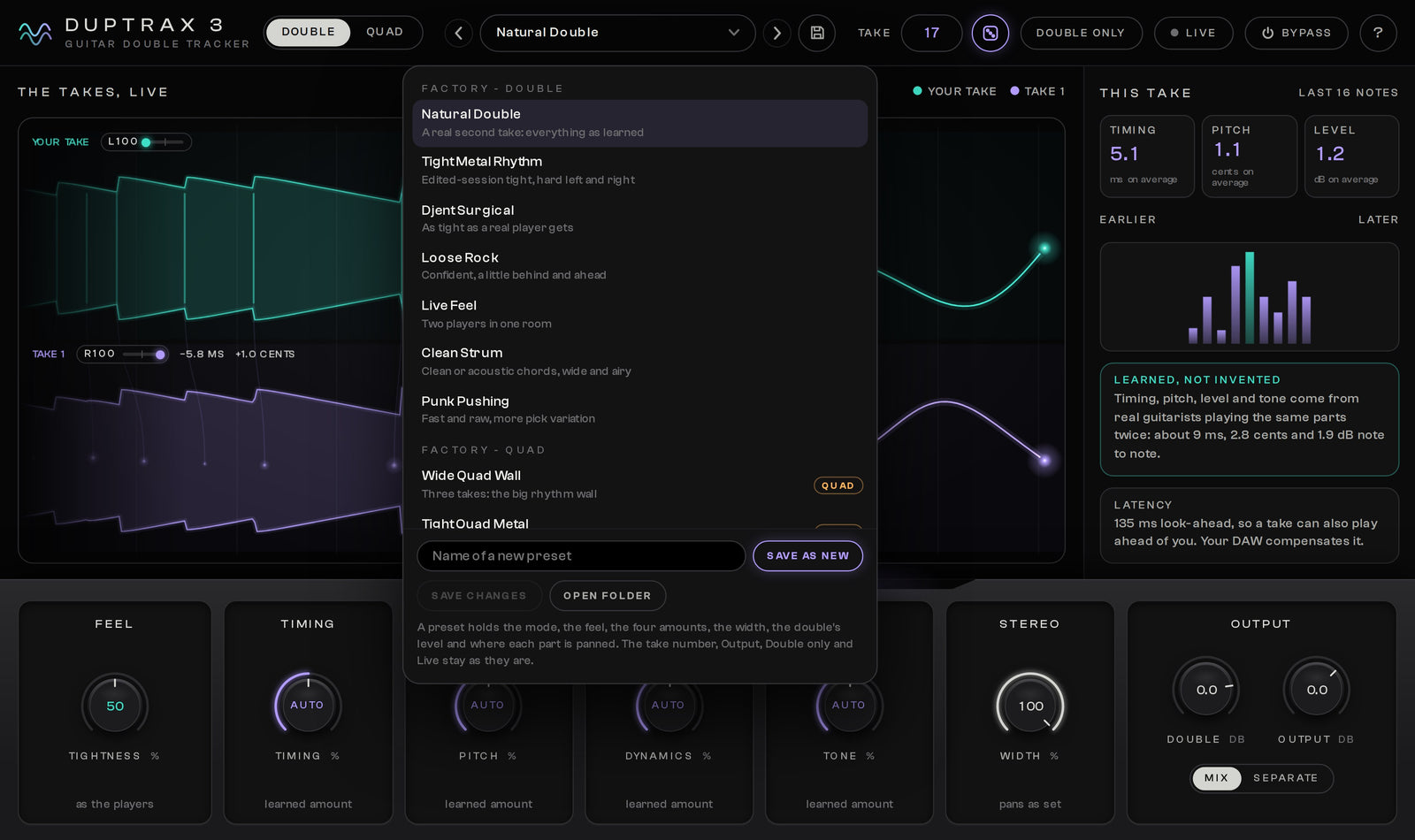
14 presets
Natural Double, Tight Metal Rhythm, Djent Surgical, Loose Rock, Live Feel, Clean Strum, Wide Quad Wall, Lead Double, Mono Thick and more. Save your own and they come with you into every project.
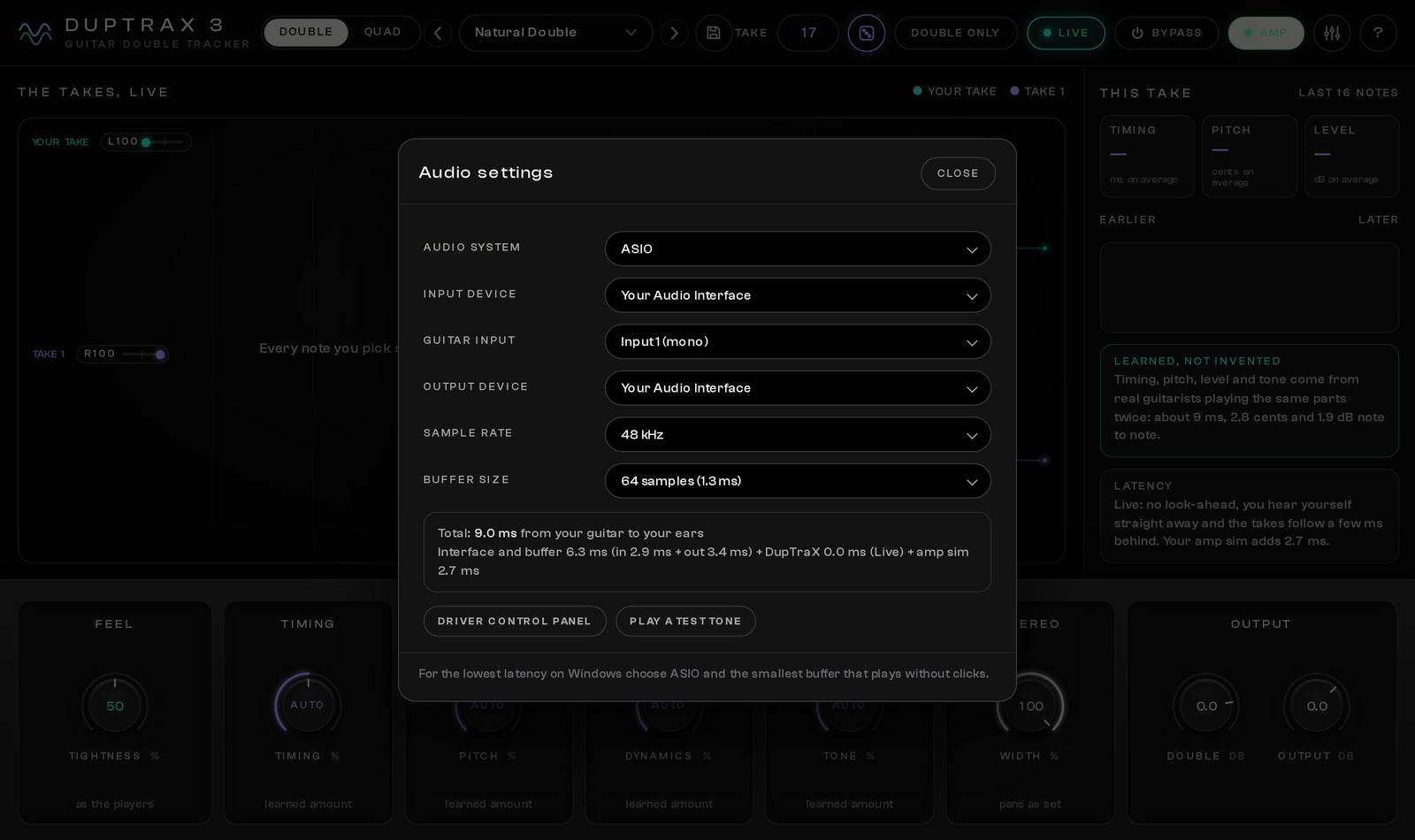
Live mode
Turn on Live and your guitar comes through instantly while the doubles follow just behind you, like a second player standing next to you. The app shows the whole delay from your guitar to your ears, so you can set your buffer with confidence.
Standalone app
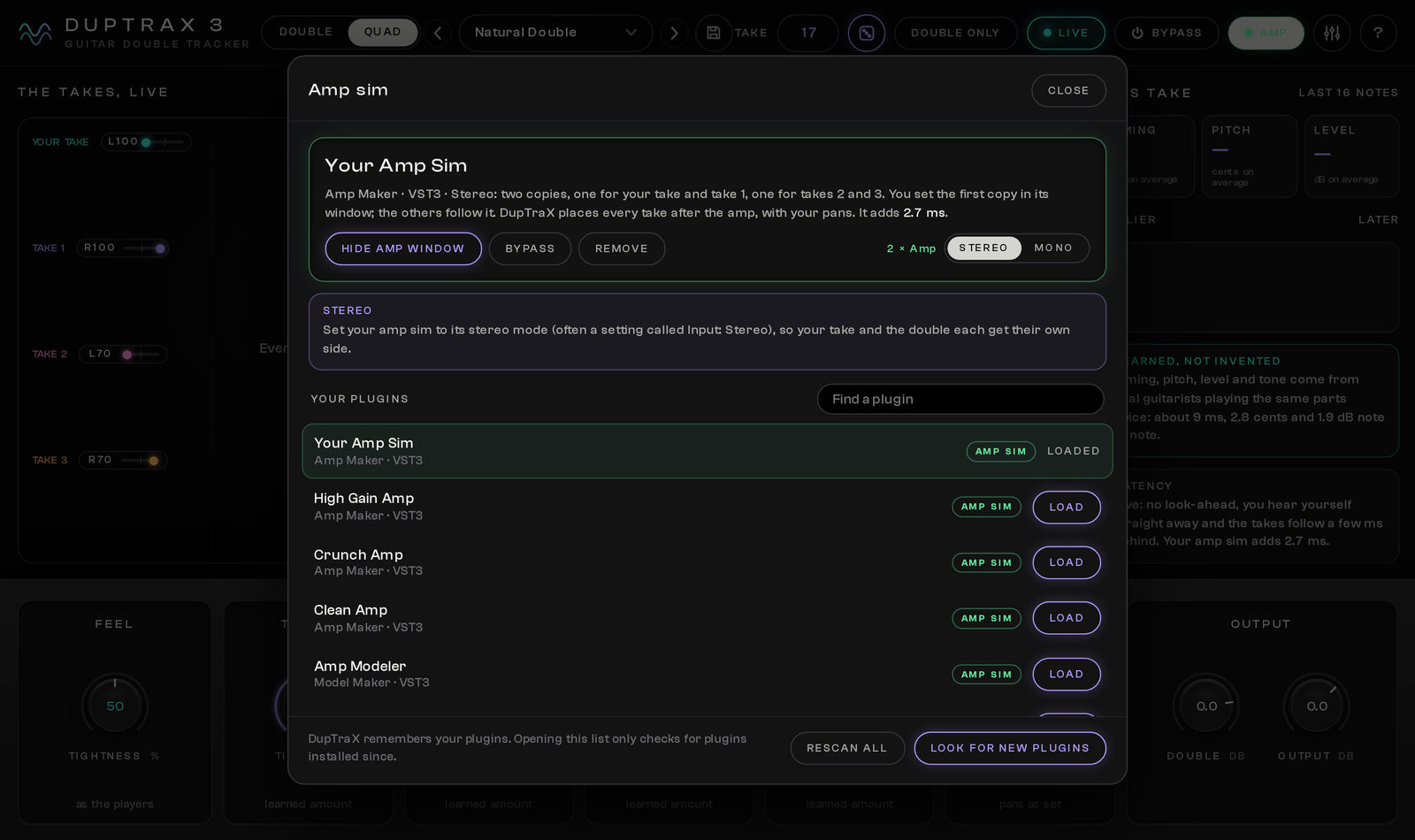
Plug your guitar into your audio interface, load your own VST3 or AU amp sim right inside the app and play. Every take goes through the amp on its own, the way real double tracks are recorded, and DupTraX pans them afterwards. Run your amp sim in Stereo (set it to its stereo mode) or in Mono, one copy per take. If your amp sim mixes the two sides into one, the app tells you and fixes it with one click. ASIO on Windows.
Your feel
Every control starts where real guitarists are. Turn it to taste.
Delivery and compatibility
Questions
DupTraX 3 is a double tracker for guitars. From one recorded take it plays a second take of the same part, or three more in Quad, the way a guitarist plays a part again: a little earlier or later on each note, with its own intonation, picking strength and tone. It is not a delay or a chorus.
That was the goal and the test. We recorded real double-tracked rhythm guitars, played the second take and the DupTraX 3 double through the same amp, and asked which one was real. In our blind tests the double was very hard to tell apart from the real second take. Try it yourself in the blind test on this page.
Double plays one new take, panned against your original: the classic left and right rhythm guitars. Quad plays three new takes, so one recorded part becomes a wall of four rhythm guitars. Each take plays the part in its own way.
Yes. Turn on Live and your guitar comes through with zero latency while the doubles follow just behind you, like a second player in the room. The standalone app runs without a DAW and supports ASIO audio interfaces on Windows.
Yes. Click Amp in the app and load your VST3 amp sim (on a Mac also Audio Unit). Every take goes through the amp on its own, the way real double tracks are recorded, and DupTraX pans the takes afterwards. In Stereo mode one copy of the amp plays each pair of takes, so set your amp sim to its stereo mode; in Mono mode every take gets its own copy, which works with any amp sim. If your amp sim mixes the two sides into one, the app tells you and switches to Mono with one click. You set the amp in its own window once; the other copies follow.
Yes. Log in with the account you bought it with and 30 % comes off DupTraX 3 at checkout automatically. There is no code to enter. This upgrade offer ends on 31 October 2026 at 23:59 CET. It will not continue into November or return in December.
VST3 and the standalone app with ASIO on Windows 10 and 11 (64-bit), and VST3, Audio Unit and the standalone app on macOS 11 or newer, on Intel or Apple Silicon. Pro Tools (AAX) is not supported. The download includes installers for Windows and macOS and the User Guide.
Before. DupTraX 3 works best on a clean DI guitar track: put it first, then your amp sim. On one track, run the amp sim in its stereo mode if it has one, so your take and the double each go through the amp on their own side; if the amp sums to mono, the double collapses into one guitar. To give every take its own amp in any DAW, copy the DI to one more track (three more for Quad) and put DupTraX 3 on each copy with Double only and a different Take number; the user guide shows it step by step. In REAPER you can also switch DupTraX 3 to Separate outputs and send each take to its own amp track. In the standalone app DupTraX does all of this for you with your amp sim.
DupTraX 3 is made for guitar: it learned from guitarists playing the same part twice, and that is where it sounds its best. Use it on rhythm and lead guitar, clean or distorted.
DupTraX 3
Free app for Mac and Windows
Install and update every plugin with the free Plugins & Apps Manager app for Mac and Windows.
Enable each plugin online once. Permanent licenses then work offline; Pass licenses require periodic online renewal. How it works
Plugins and apps supplied by the new All-Access subscription work only during your paid period. Separately purchased products and perpetual licences already earned through the previous pass are preserved.
Your installations, presets and projects are not deleted. Renew your Pass or buy the plugin separately and enable it online to use it again.
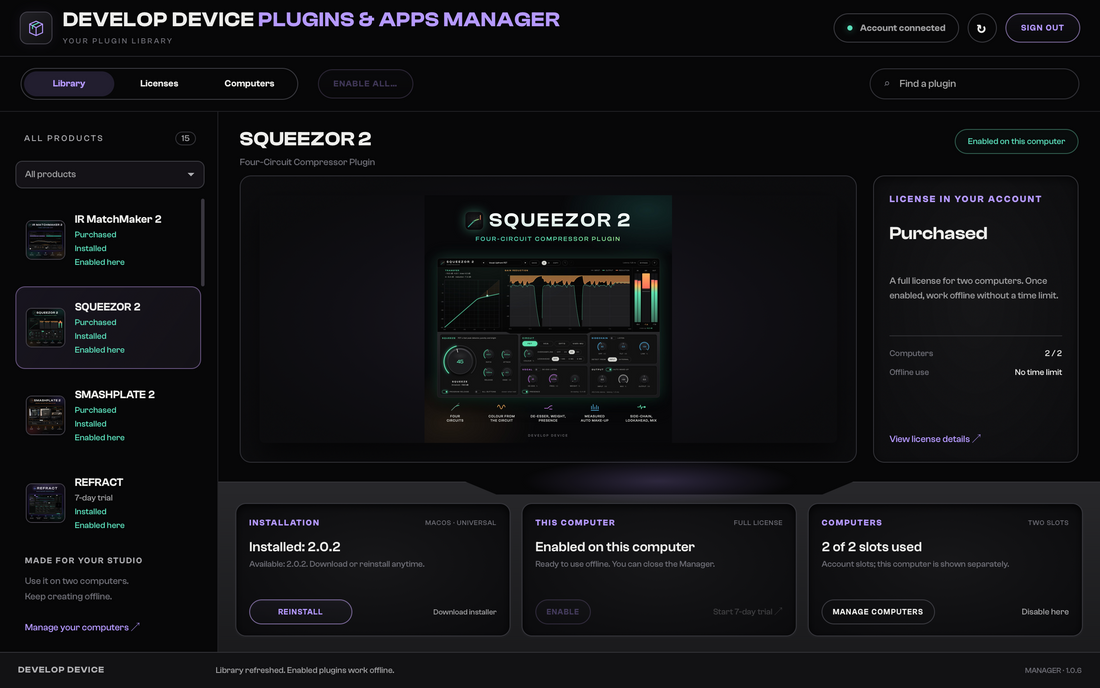
Every step in the real Manager: sign in, install, enable, Update all and working offline.
Watch the Manager tour (5 min)Develop Device All-Access Pass
Plugins, apps and sounds in one monthly or yearly subscription. All included downloads and updates are available during your paid period.