REFRACT
Version 1.0.4
Download for MacmacOS · Universal · 37.6 MB
Download for WindowsWindows · x64 · 14.7 MB
Your cart is empty
Continue shoppingBestsellers this week
Mastering assistant · VST3 · AU · Standalone
 Mastering Assistant Plugin
Press ASSIST, play the loudest 20 seconds of your song, and REFRACT masters it towards your genre: tonal balance, band dynamics, stereo image and loudness. Then compare it with any reference track at matched loudness.
One-time purchase · Instant download · Included in the All-Access Pass
Intro pricing ends 31 October 2026, 23:59 CET.
Intro pricing ended on 31 October 2026.
Download without signing in or checking out. Enable it after installing.
Download any installer for Mac or Windows. No account, order or payment is needed to download.
Version 1.0.4
After installing, sign in to the Plugins & Apps Manager to enable a purchased license or start a free 7-day trial. Downloading and installing do not start the trial.
The product works once it is enabled with a valid license. The 7-day trial begins the first time you enable it and ends at the same time on both computers.
Already installed the Manager? Open it, sign in, select your product and choose Enable.
Browse all plugin installersOr get every plugin and app with Plugin Pass from 315,00 Kč a month.

Before / after
Three songs, each turned down 10 dB for headroom and mastered with a single press of ASSIST. The genre was recognised automatically and nothing was adjusted by hand. Switch between the two versions while it plays.
Press play to load the song
How it works
No presets to guess, no curves to draw. REFRACT listens, decides with data, and shows you every step.
Without a reference
The targets are not drawn curves. They were measured from professionally released masters of each genre — tonal balance, how much each band moves, stereo width and loudness. REFRACT brings your mix into the range those masters share, and the Target control decides whether it stops at the edge or goes all the way to the middle.
Highlighted genres are available now; the others arrive as free updates.
With references
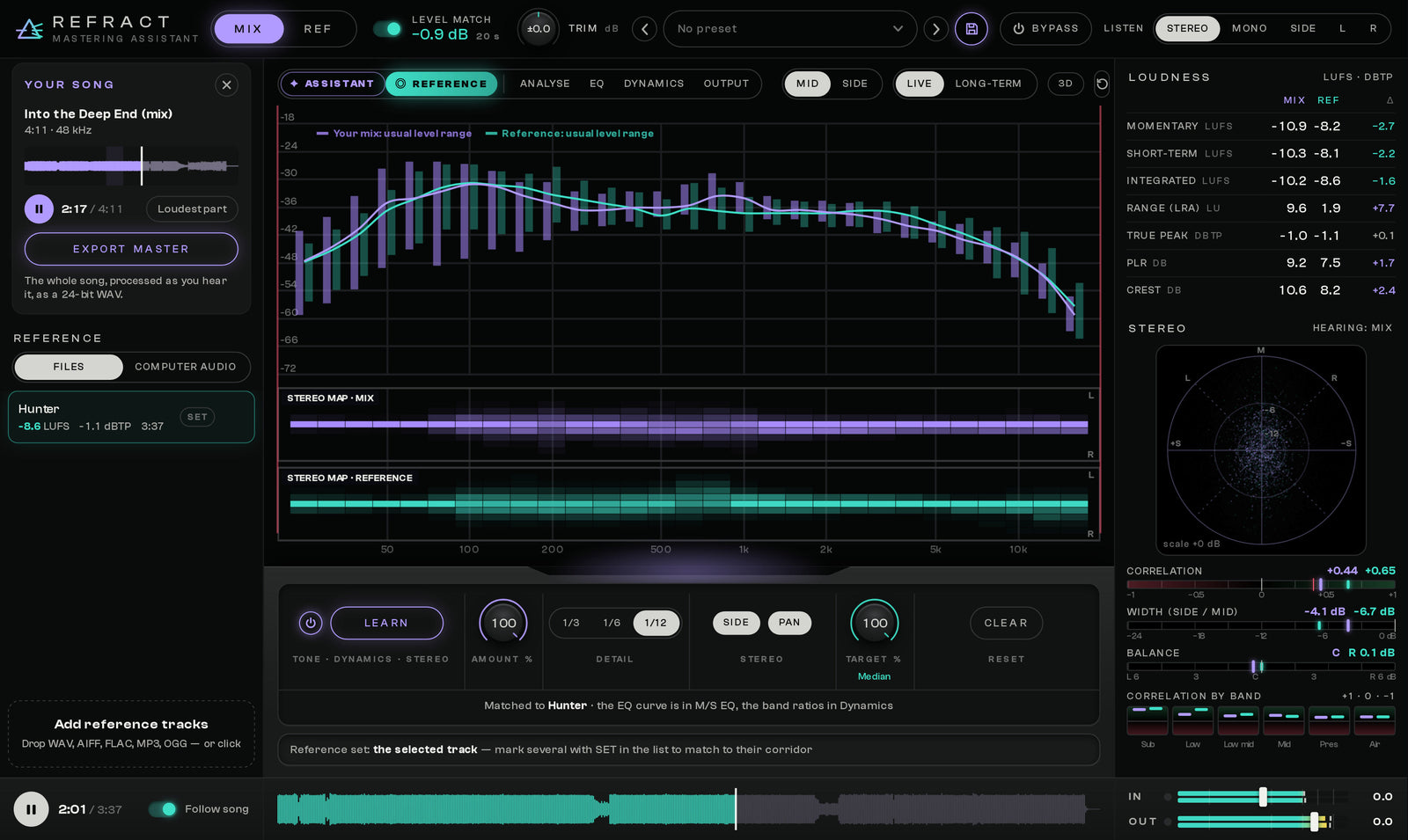
Drop in reference files, or let REFRACT listen to a song playing in your streaming app. Switch MIX/REF at matched loudness, see band by band where you differ, and match tone, band dynamics and stereo map to one reference or the shared range of several.

Analyse
Your mix against the genre or a reference, in Mid and Side, live or long-term. Six bands show level, width and dynamics as plain numbers, and the notes say it in words: “Sub 2.9 dB quieter than Modern Metal masters”.
Reference
Learn from 20 seconds and match tone, band dynamics and the stereo map in one go. With several references REFRACT targets what they share and shows you their spread.

Mid / Side EQ
Fine or broad, the matched curve follows the reference as closely as you like. Add your own bands — bell, shelves and cuts on Stereo, Mid or Side — whenever you want to shape it by ear.
Output
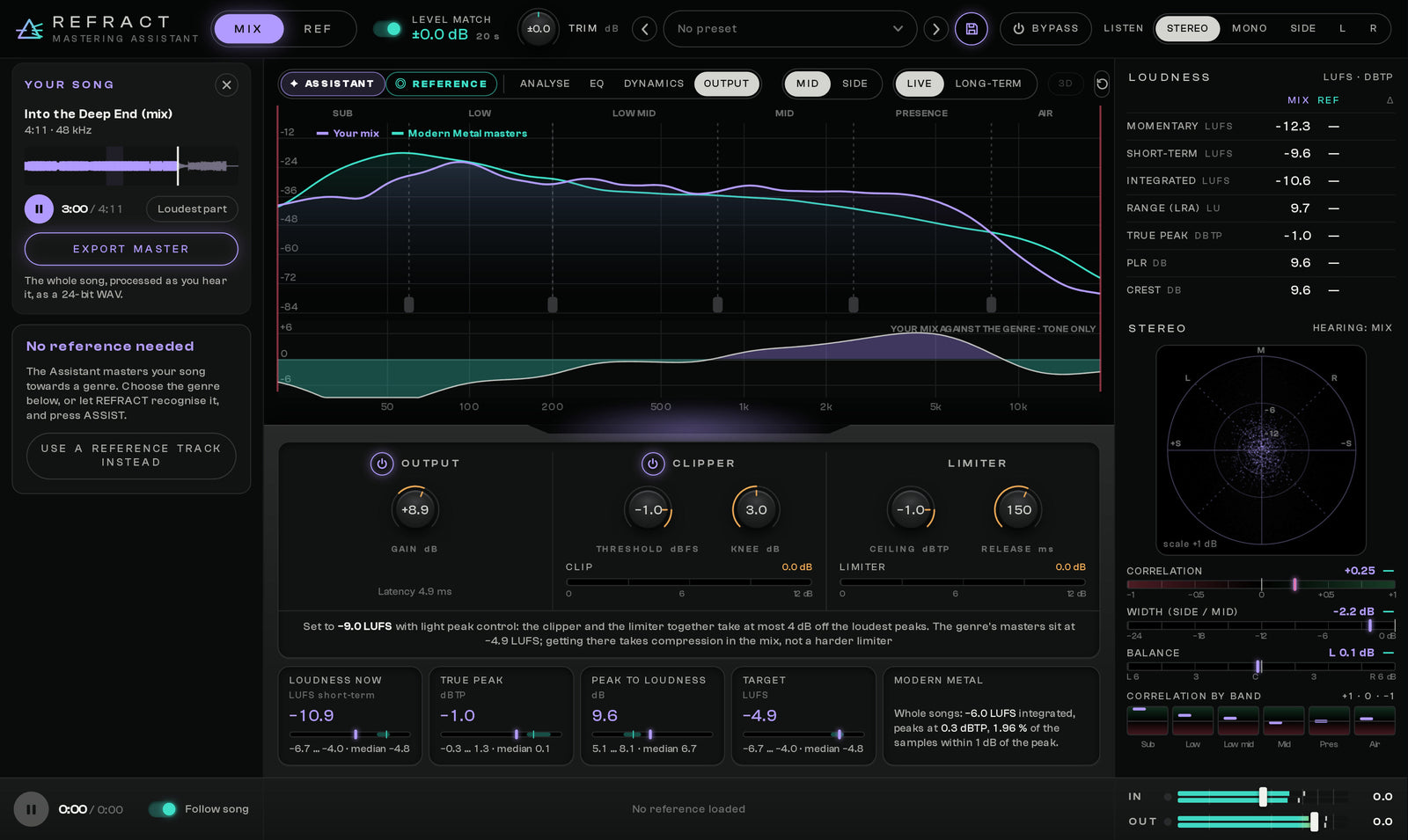
A clipper takes the sharpest peaks, a transparent limiter the rest, and your master reaches release loudness without being pulled down on every hit. The assistant sets both so they only shave the peaks, and you see your loudness next to the genre at a glance.
Mastering grade, measured
Delivery and compatibility
Questions
REFRACT is a mastering plugin that listens to 20 seconds of your mix and masters it towards a genre in one click: tonal balance, the dynamics of each band, the stereo image and the loudness. It also compares your mix with any reference track and can match it to one or several references.
No. The Assistant works without one: it uses genre targets measured from professionally released masters. If you want to compare with a specific song, load it as a reference file or let REFRACT listen to a song playing on your computer.
Modern Metal, Metalcore, Classic Heavy Metal and Rock are available now. Pop, Hip-Hop, House, Techno, Drum & Bass and EDM are coming as free updates. You can choose the genre yourself or let REFRACT recognise it from your mix.
No. The Assistant only lets its limiter shave the peaks lightly. If your mix is too dynamic to reach the genre loudness that gently, REFRACT stops at a clean level and tells you, instead of squashing it.
VST3 and the standalone app on Windows 10 and 11 (64-bit), and VST3, Audio Unit and the standalone app on macOS 11 or newer, on Intel or Apple Silicon. The download includes installers for Windows and macOS and the User Guide.
Never. Everything REFRACT does is applied to your mix only. References always play exactly as they are, at matched loudness, so you compare tone and dynamics rather than volume.
REFRACT 1.0
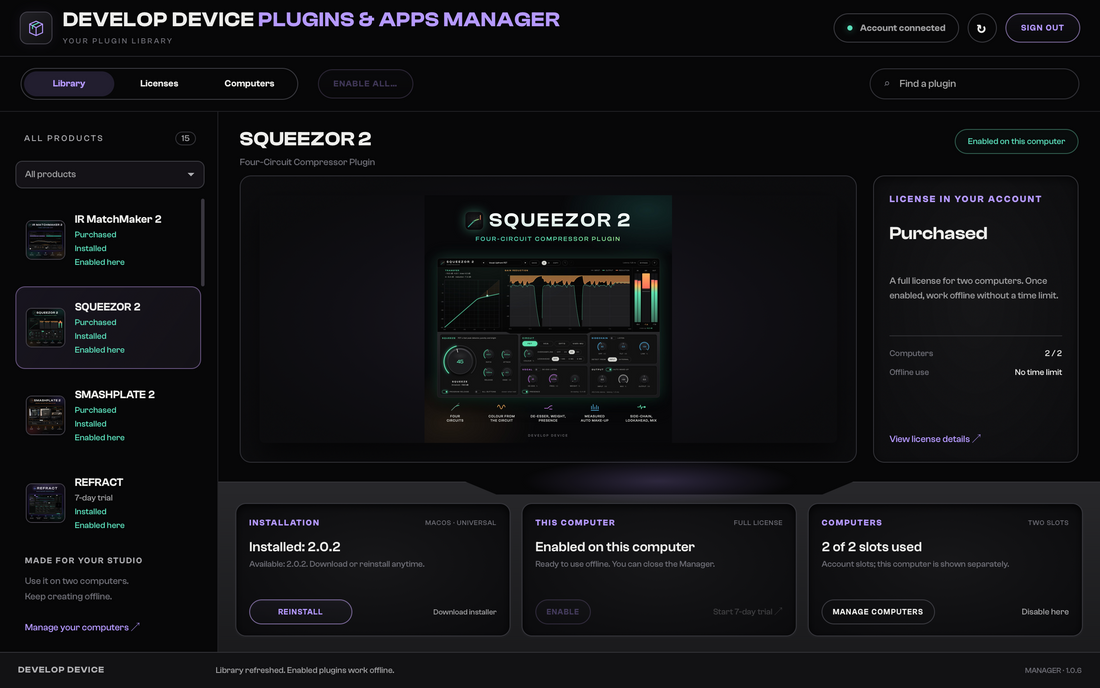
Plugins & Apps Manager
Install and update every plugin with the free Plugins & Apps Manager app for Mac and Windows.
Watch the Manager tour (5 min)
Enable each plugin online once. Permanent licenses then work offline; Pass licenses require periodic online renewal. How it works
Every plugin and app you enable while your All-Access Pass runs is yours to keep. The ones you never enabled stop working when your Pass ends. Separately purchased plugins and permanent bundles keep working.
Your installations, presets and projects are not deleted. Renew your Pass or buy the plugin separately and enable it online to use it again.
Develop Device All-Access Pass
One annual pass unlocks the Develop Device catalogue and included new releases during your active year. Plugins and apps you enable while your Pass runs are yours to keep. The ones you never enabled stop working when your Pass ends. Separately purchased plugins and permanent bundles keep working.