


Choose what to keep
Dark, Natural and Raw as separate WAVs, or a blend of the selected responses.
Your cart is empty
Continue shoppingBestsellers this week
Build the cabinet around the song
An amp tone can be great on its own and still fight the mix. Bring in the backing and the amp, create three cabinet directions, then shape the one that belongs in the song.
Own the original CarveIR? Get your 30% upgrade.
 + Zoom
Context Fit
Capture or import the backing without the target guitars and the amp without a cabinet. Context Fit uses both references to guide the response, with Amount, Focus, Balance and regional weighting under your control.
+ Zoom + Zoom
Cabinet Sculpt · Resonance Sculpt
Choose Dark, Natural or Raw. Shape Body, Bite and Air, set the frequency limits, then adjust Detail and static resonance shaping. Every change becomes part of the cabinet you can take into another loader.
Draw · Smooth · Protect
Draw a continuous response, smooth an uneven region or protect the frequency interval that already works. Use A/B and Undo to compare complete ideas before committing to a file.
 + Zoom
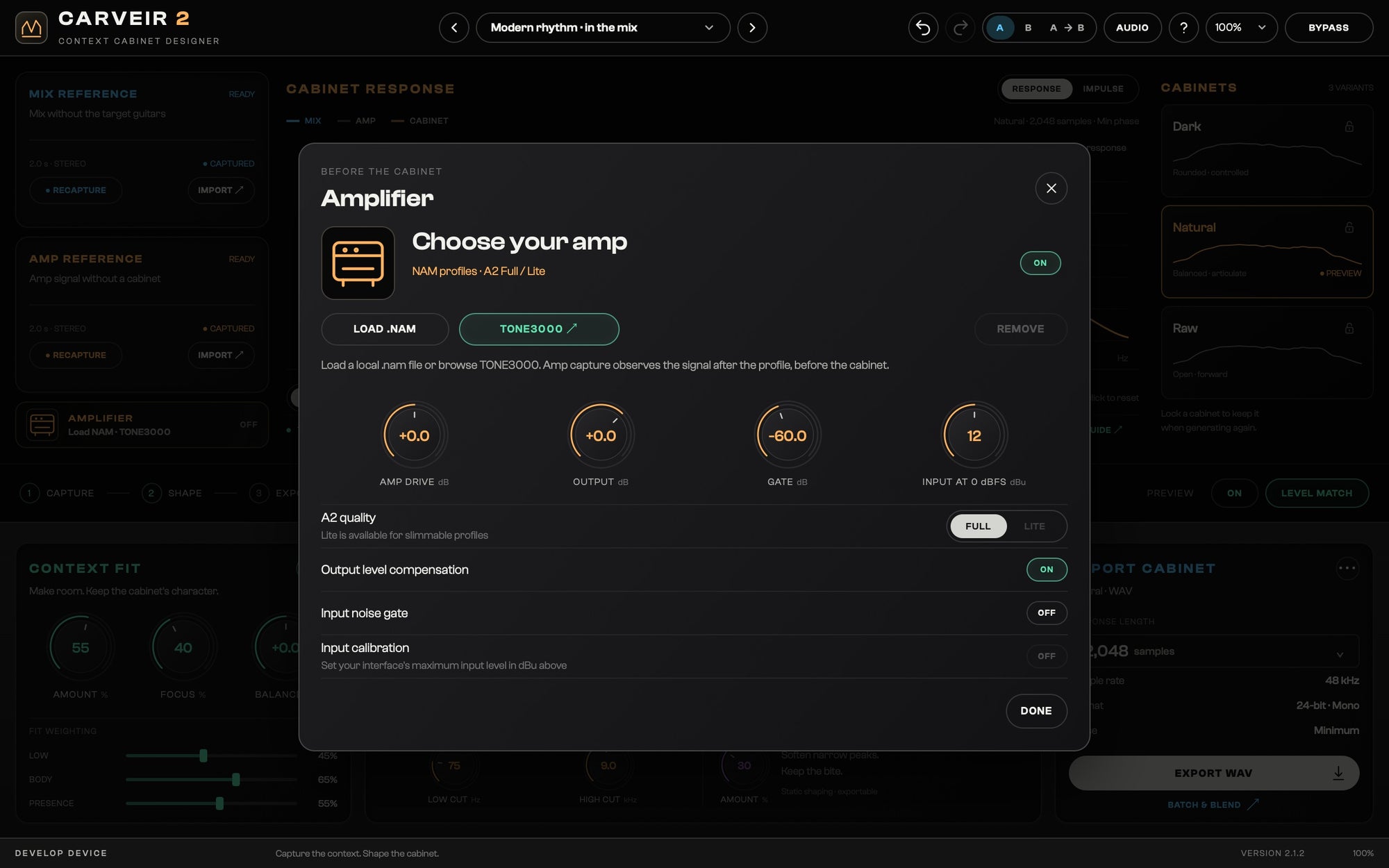
NAM + TONE3000
Load a local .nam file or browse TONE3000 from the plugin. The profile plays before the cabinet and before Amp capture, so you can design while hearing the complete chain.
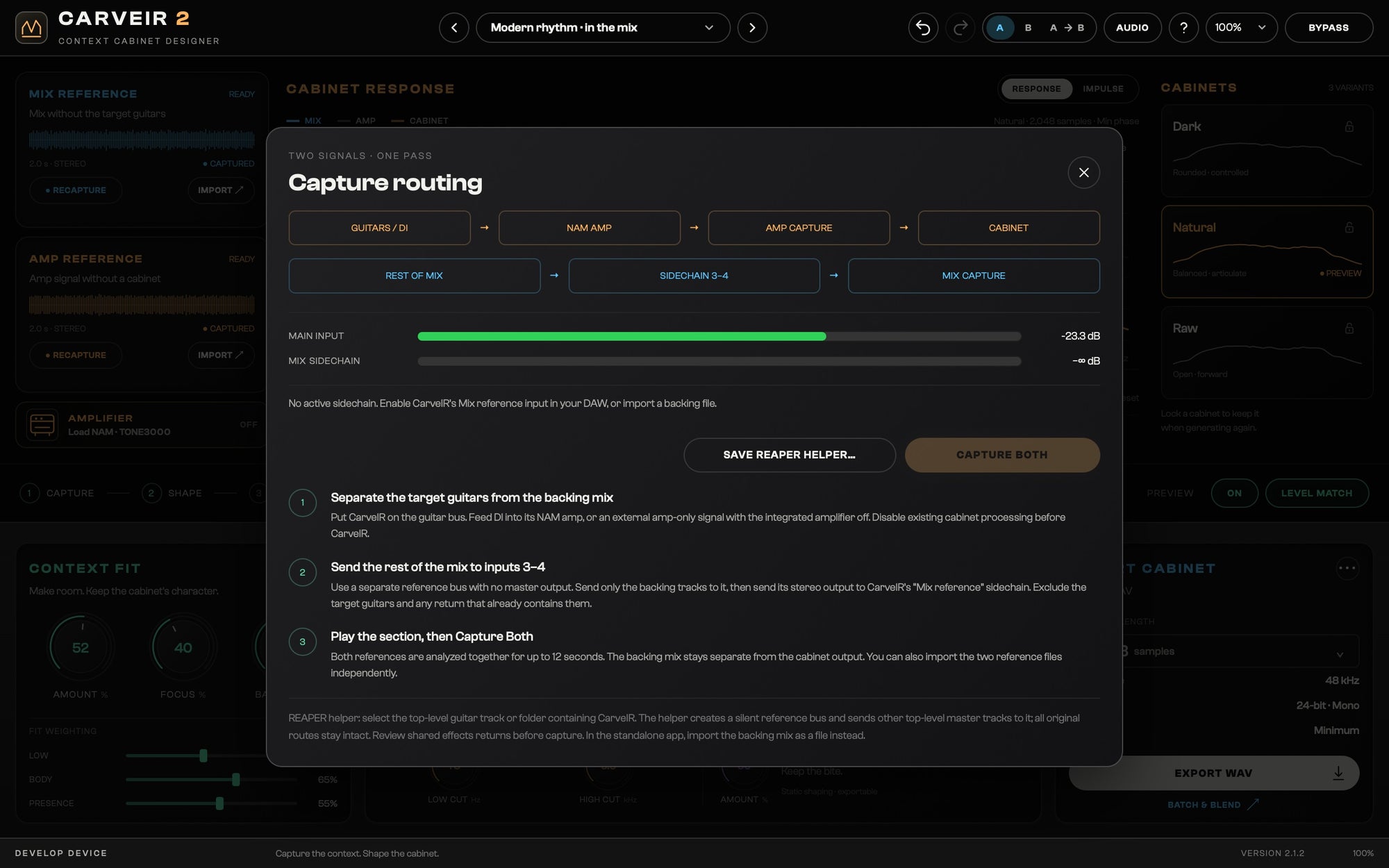
A practical reference workflow
Feed the amp to the main input and the backing to the Mix reference sidechain. Check both meters and capture the two references in one pass. The included REAPER helper prepares a silent backing-reference route; importing two audio files works in any supported setup.
Cabinet WAV export
Export the selected cabinet, a chosen set of variants, their combined response, or individual files and a blend together. Save the full recipe alongside them so you can return to the design.
Dark, Natural and Raw as separate WAVs, or a blend of the selected responses.
512–8192 samples. 44.1–96 kHz. 16/24-bit or 32-bit float. Minimum or linear phase.
Mono, dual mono or independent stereo from stereo references. Cabinet export excludes the nonlinear NAM stage.
For original CarveIR owners
CarveIR 2 installs alongside the original version, keeping earlier sessions intact. Your eligible upgrade is applied automatically at checkout.
Native on both platforms
Before you play
A cabinet response designer that uses an amp reference and a backing-mix reference to guide three cabinet directions. Refine the response and export a conventional cabinet WAV.
Yes. Eligible owners of the original CarveIR receive a 30% upgrade through their signed-in account. The offer follows the store’s seasonal upgrade availability.
It loads compatible local NAM profiles before the cabinet and includes TONE3000 browsing. TONE3000 requires your account and an internet connection. Third-party profiles are not included.
No. WAV export contains the static cabinet design, including context, sculpting and response edits. The nonlinear NAM stage and gate remain separate.
No. You can import separate backing and amp files. For simultaneous live capture, use the optional Mix reference sidechain; a REAPER routing helper is included.
Yes. CarveIR 2 has a separate plugin identity and installs alongside the original CarveIR. Earlier sessions can continue using the earlier plugin.
Yes. The universal macOS installer contains native Intel and Apple Silicon builds, with VST3, AU and standalone formats.
WAV at 44.1, 48, 88.2 or 96 kHz, 16/24-bit or 32-bit float, 512 to 8192 samples, minimum or linear phase, mono/dual mono or stereo from stereo references. Export selected variants individually, blended, or both.
CarveIR 2