


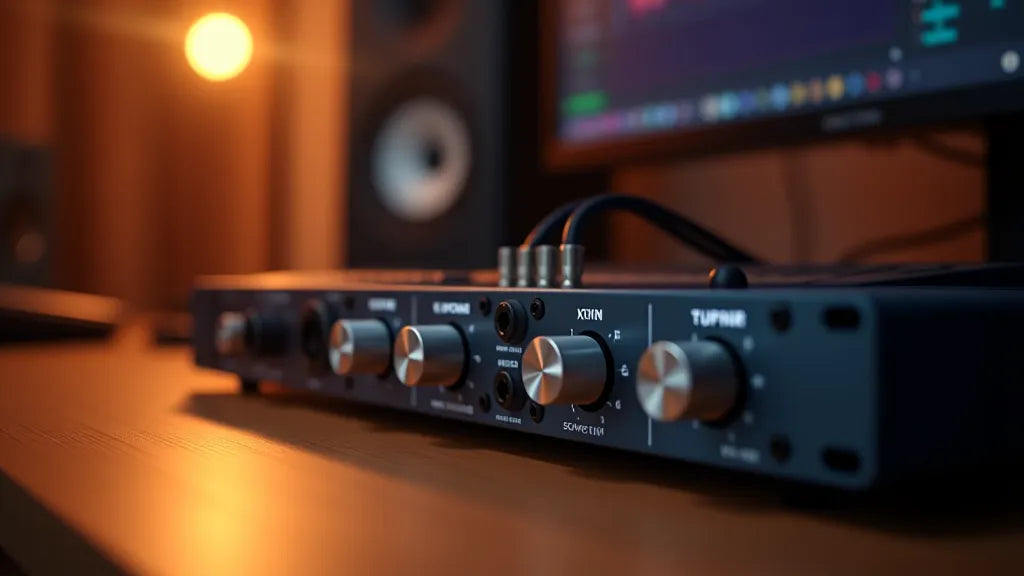
Whether you are laying down your first guitar riff or mixing a full metal production, the audio interface is the single most important piece of hardware between your instruments and your digital audio workstation. It handles the critical job of converting analog signals — your guitar, microphone, or bass — into digital audio your computer can process, and then converting it back so you can hear the results through your studio monitors or headphones.
In 2026, the market is packed with excellent options at every price point. Interfaces have gotten faster, quieter, and more feature-rich than ever before. But with so many choices, picking the right one can feel overwhelming. This guide breaks down the best audio interfaces for music production in 2026, organized by budget, so you can find the perfect match for your studio — whether you are recording a single guitar track or tracking an entire band.
And remember: your interface is only one part of the chain. You will also need a best DAW for your genre, a powerful CPU for music production, and enough RAM for music production to get the most out of your setup.
What Is an Audio Interface and Why Do You Need One?
At its core, an audio interface is a specialized sound card designed for professional audio work. It performs three essential functions:
- Analog-to-Digital (AD) Conversion: Converts the analog signal from your microphone, guitar, or bass into digital data your DAW can record and manipulate.
- Digital-to-Analog (DA) Conversion: Converts the digital audio back into an analog signal so you can listen through studio monitors or headphones with accurate, low-latency playback.
- Microphone Preamps: Boosts the weak signal from microphones (and instruments) to a usable recording level. The quality of these preamps directly affects the clarity, warmth, and noise floor of your recordings.
Your computer's built-in sound card simply was not designed for serious recording. It introduces latency (the delay between playing a note and hearing it), adds noise, and lacks the inputs you need for microphones and instruments. A dedicated audio interface solves all of these problems, giving you clean recordings, near-zero latency monitoring, and professional connectivity.
Key Specs to Consider Before Buying
Before diving into specific models, understanding these specifications will help you make an informed decision:
Sample Rate and Bit Depth
Most modern interfaces support at least 24-bit / 192kHz recording. For most music production, recording at 24-bit / 48kHz is the sweet spot — it gives you excellent audio quality with manageable file sizes. Higher sample rates (96kHz or 192kHz) are useful for sound design or classical recording but are rarely necessary for rock and metal production.
Preamp Quality
The microphone preamps built into your interface determine how clean and transparent your recordings sound. Budget interfaces have come a long way, but stepping up to mid-range units from brands like Audient, SSL, or Universal Audio gives you noticeably better clarity, especially on dynamic microphones used for guitar cabinets and drums.
Input and Output Count
Think about what you need to record simultaneously. A solo guitarist or vocalist can get by with one or two inputs. If you are tracking drums or a full band live, you will need eight or more inputs. Common configurations include:
- 1-2 inputs: Solo artists, singer-songwriters, podcasters
- 4 inputs: Small bands, stereo recording plus direct instruments
- 8+ inputs: Full drum miking, live band tracking, studio setups
Connectivity: USB-C vs Thunderbolt
USB-C is the standard for most interfaces in 2026 and works on both Mac and Windows. Thunderbolt offers lower latency and higher bandwidth but comes at a premium price and is more common on Mac. We cover this in detail in a dedicated section below.
Latency and Driver Quality
Low latency is crucial when monitoring through your DAW with amp simulators or effects. Look for interfaces with stable, well-maintained drivers. On Windows, ASIO drivers are essential. Brands like RME, MOTU, and Universal Audio are known for rock-solid driver performance. If you are Mac vs PC for music production, keep in mind that macOS uses Core Audio natively, which generally offers lower latency out of the box.
Hi-Z Instrument Inputs
If you play electric guitar or bass, make sure your interface has a Hi-Z (high-impedance) input. This input is specifically designed for instruments with passive pickups and ensures a proper signal level without tone loss. Most interfaces include at least one, but check that it is on a front-panel input for easy access.
Best Audio Interfaces Under $200 (Budget Picks)
You do not need to spend a fortune to get studio-quality recordings. These budget interfaces deliver impressive performance for home studios and beginners.
Focusrite Scarlett Solo 4th Gen (~$130)
The Focusrite Scarlett Solo remains the best-selling audio interface in the world for good reason. The 4th generation brings USB-C connectivity, improved preamps with up to 69dB of gain (a huge upgrade for dynamic mics), and a dedicated Hi-Z instrument input that sounds great with guitar amp simulators. It also includes Focusrite's Air mode, which adds a subtle high-frequency lift inspired by classic ISA preamps.
Best for: Solo guitarists, vocalists, and bedroom producers who need one mic input and one instrument input.
Specs: 1 preamp, 1 Hi-Z input, 24-bit/192kHz, USB-C, bus-powered.
Audient EVO 4 (~$130)
The Audient EVO 4 takes a unique approach with its Smartgain feature, which automatically sets your input levels. This is genuinely useful for beginners who are still learning gain staging. Under the hood, it uses Audient's class-leading preamp technology from their higher-end consoles. The sound quality punches well above its price.
Best for: Beginners who want great sound without the learning curve of manual gain staging.
Specs: 2 preamps, 24-bit/96kHz, USB-C, bus-powered, built-in loopback for streaming.
PreSonus AudioBox USB 96 (~$100)
If your budget is extremely tight, the PreSonus AudioBox USB 96 is a reliable workhorse. It includes two combo inputs (XLR/TRS), MIDI I/O (a rarity at this price), and comes bundled with PreSonus Studio One Artist. The preamps are not as refined as the Focusrite or Audient, but they are perfectly serviceable for demos and home recording.
Best for: Complete beginners on the tightest budget who also need MIDI connectivity.
Specs: 2 preamps, 24-bit/96kHz, USB-C, bus-powered, MIDI I/O.
Best Audio Interfaces $200–$500 (The Sweet Spot)
This is where things get exciting. The $200–$500 range offers the best value in audio interfaces, with significantly better preamps, converters, and build quality compared to budget units. For most home studio owners, this is the tier to target.
Focusrite Scarlett 2i2 4th Gen (~$190)
The Scarlett 2i2 is the world's most popular two-input interface, and the 4th Gen version is the best yet. It features the same upgraded preamps as the Solo with 69dB of gain, two Hi-Z instrument inputs (both front-panel), and improved AD/DA converters with a dynamic range of 120dB. The Air mode is excellent for adding presence to acoustic guitars and vocals.
Best for: The go-to choice for most home studio setups. Perfect for recording guitar and vocals simultaneously.
Specs: 2 preamps with Hi-Z, 24-bit/192kHz, USB-C, bus-powered.
SSL 2+ MkII (~$350)
Solid State Logic needs no introduction in the audio world, and the SSL 2+ MkII brings their legendary console sound to a desktop interface. The preamps are the star here — they are clean, detailed, and have a "Legacy 4K" mode that adds the subtle harmonic enhancement SSL consoles are famous for. With four outputs (two additional for a headphone mix or external effects), it is more versatile than most two-input interfaces.
Best for: Producers who want console-grade preamp quality and the SSL sound for recording guitars, vocals, and real amps.
Specs: 2 preamps with Hi-Z, 24-bit/192kHz, USB-C, 4 outputs, MIDI I/O.
Audient iD14 MkII (~$280)
The Audient iD14 MkII is an audiophile favorite that consistently outperforms interfaces twice its price in blind listening tests. It uses the same preamp design found in Audient's large-format recording consoles, delivering class-leading clarity and an incredibly low noise floor. The JFET instrument input is one of the best for guitar — it adds a slight warmth that works beautifully with amp simulators.
Best for: Quality-obsessed producers who want the best possible preamp and converter performance under $300.
Specs: 2 preamps, JFET Hi-Z, 24-bit/96kHz, USB-C, ADAT expandable to 10 inputs.
MOTU M4 (~$270)
The MOTU M4 has earned a cult following for its exceptional converter quality, which rivals interfaces costing two to three times as much. Independent measurements consistently rank it among the best-measuring interfaces under $1,000. The full-color LCD metering on the front panel is a practical touch that makes gain staging a breeze. Four inputs and outputs make it versatile for routing to external gear.
Best for: Producers who prioritize converter quality and need four balanced outputs for hardware integration.
Specs: 2 preamps + 2 line inputs, 24-bit/192kHz, USB-C, loopback, LCD metering.
Universal Audio Volt 276 (~$350)
The UA Volt 276 stands out by including analog compressors inspired by the legendary UA 1176 — built right into the hardware. This means you can apply subtle compression during recording, which is fantastic for taming dynamic vocals or adding punch to DI guitars. It bridges the gap between a clean interface and a character-rich recording channel.
Best for: Producers who want built-in analog compression for recording vocals and instruments with character.
Specs: 2 preamps with Hi-Z, analog 76 compressor, 24-bit/192kHz, USB-C.
Best Audio Interfaces $500–$1,500 (Pro-Level)
When you are ready to invest in a professional-grade interface, these units deliver premium converters, ultra-low latency, and features that can transform your workflow. If you are choosing the right computer for your studio, pairing it with one of these interfaces ensures you are getting the most out of your system.
Universal Audio Apollo Solo USB Heritage Edition (~$700)
The Apollo Solo Heritage Edition is Universal Audio's entry point into their acclaimed Apollo ecosystem. What sets it apart is UAD real-time processing — it includes a built-in DSP chip that runs UA's legendary plugin emulations (Neve, API, SSL, Pultec, and more) with near-zero latency. You can track through a vintage Neve 1073 preamp emulation in real time, which is a game-changer for guitarists and vocalists who want to hear their sound fully processed while recording.
Best for: Producers who want access to world-class analog emulations processed in real-time during recording.
Specs: 2 preamps with Hi-Z, Unison preamp technology, UAD-2 SOLO DSP, 24-bit/192kHz, USB-C (Heritage Edition includes premium plugin bundle).
Antelope Audio Zen Go Synergy Core (~$600)
The Antelope Zen Go packs Antelope's acclaimed clocking technology and Synergy Core DSP processing into a portable, bus-powered unit. The onboard FPGA and DSP processing lets you run Antelope's extensive effects library — including guitar amp models and studio effects — with latency so low it is imperceptible. The conversion quality is outstanding, with a dynamic range that competes with interfaces twice its price.
Best for: Mobile producers and touring musicians who need premium conversion and DSP processing in a portable package.
Specs: 2 preamps with Hi-Z, Synergy Core DSP, 24-bit/192kHz, USB-C, bus-powered.
RME Babyface Pro FS (~$900)
The RME Babyface Pro FS is the gold standard for driver stability and ultra-low latency performance. RME's drivers are legendary in the audio world — they are rock-solid on both Mac and Windows, and can achieve round-trip latencies under 3ms at reasonable buffer sizes. The SteadyClock FS technology provides jitter-free clocking that keeps your recordings pristine. If reliability and latency performance are your top priorities, RME is the answer.
Best for: Professional producers who demand the lowest latency, best driver stability, and pristine conversion quality.
Specs: 4 preamps (2 analog + ADAT), 24-bit/192kHz, USB-C, SteadyClock FS, TotalMix FX software mixer.
Universal Audio Volt 876 (~$999)
The UA Volt 876 is the flagship of the Volt line, offering eight inputs for full band recording. It retains the analog 76 compressor on the first two channels and adds ADAT expansion for even more inputs. This is an excellent choice for project studios that need to track drums with multiple microphones or record a full band in a single take.
Best for: Project studios that need eight or more simultaneous inputs for drum recording and live band tracking.
Specs: 8 preamps (4 analog + 4 via ADAT), analog 76 compressor on ch 1-2, 24-bit/192kHz, USB-C.
Best Audio Interfaces for Specific Use Cases
For Guitar and Bass Recording
If your primary use case is recording electric guitar or bass — whether through amp simulators, reamping, or miking real cabinets — prioritize these features:
- High-quality Hi-Z input: The Audient iD14 MkII's JFET input and the SSL 2+ MkII are standouts here.
- Low latency for amp sims: The RME Babyface Pro FS and Universal Audio Apollo Solo let you run plugins with imperceptible latency.
- Reamping output: Some interfaces include a dedicated reamp output. If yours does not, you can use a line output with a reamping box.
- DSP processing: The Apollo Solo and Antelope Zen Go let you track through amp simulations processed on the hardware itself, eliminating latency entirely.
Pair your interface with high-quality amp simulation presets to get the best tones. A great interface with carefully crafted presets will get you closer to the sound in your head than any amount of tweaking with a mediocre signal chain.
For Podcasting and Streaming
Podcasters and streamers need different features than musicians:
- Loopback functionality: The MOTU M4, Audient EVO 4, and Focusrite Scarlett 4th Gen all include loopback for routing system audio into your recording or stream.
- Direct monitoring with mix control: Blend your mic signal with playback audio without going through your DAW.
- Multiple headphone outputs: The SSL 2+ MkII's four outputs are great for sending a separate headphone mix to a guest.
For Full Band Recording (8+ Inputs)
Recording a drum kit with proper microphone placement requires at least eight inputs. Your options include:
- Universal Audio Volt 876 (~$999): Eight inputs with analog compression on the first two channels.
- Focusrite Scarlett 18i20 4th Gen (~$550): Eight preamps, ADAT expansion to 18 inputs, and Focusrite's reliable drivers.
- MOTU 828es (~$1,000): A studio workhorse with excellent converters, Thunderbolt connectivity, and expandable I/O.
Pro tip: If you already own a 2-input interface with ADAT input, you can add an 8-channel preamp like the Audient ASP800 to expand to 10 inputs without replacing your main interface.
USB-C vs Thunderbolt: Which Connection Do You Need?
This is one of the most common questions, and the answer depends on your computer and your needs.
USB-C (USB 2.0 / USB 3.x)
- Pros: Universal compatibility (Mac and Windows), affordable, bus-powered options available, more than fast enough for most home studio setups.
- Cons: Slightly higher latency than Thunderbolt (though often negligible with good drivers), shared bandwidth with other USB devices.
- Best for: Most home studios, Windows users, budget-conscious producers.
Thunderbolt 3/4
- Pros: Lowest possible latency, highest bandwidth (ideal for 16+ channel interfaces), dedicated bus reduces conflicts with other devices.
- Cons: More expensive interfaces and cables, primarily Mac-compatible (Windows Thunderbolt support is improving but still less consistent), not bus-powered in most cases.
- Best for: Professional studios requiring the absolute lowest latency, Mac-based setups, high channel-count recording.
The verdict: For the vast majority of home studio owners, USB-C is the right choice. Modern USB interfaces from brands like RME, MOTU, and Focusrite achieve latency performance that was only possible with Thunderbolt a few years ago. Only invest in Thunderbolt if you are running a professional studio with high channel counts or if you need sub-2ms round-trip latency for real-time DSP processing.
How to Get the Best Performance from Your Audio Interface
Even the best interface will underperform if your system is not optimized. Here are the most impactful tweaks:
Buffer Size Settings
Your buffer size controls the trade-off between latency and CPU load:
- 64 samples: Ultra-low latency (~1.5ms at 44.1kHz). Use when tracking guitar through amp sims. Requires a powerful CPU for music production.
- 128 samples: Low latency (~3ms). Good balance for most tracking sessions.
- 256 samples: Moderate latency (~6ms). Still comfortable for most players.
- 512-1024 samples: Higher latency but maximum CPU headroom. Best for mixing when you are not monitoring live input.
Driver Optimization (Windows)
- Always install the manufacturer's ASIO driver — never rely on generic Windows audio drivers.
- Disable all audio enhancements in Windows Sound settings.
- Set your interface as the default audio device in both Windows and your DAW.
- Close background applications that might access the audio driver (web browsers, communication apps).
- Consider using tools like LatencyMon to identify DPC latency issues caused by other drivers.
DAW Setup Tips
- Match your DAW's sample rate to your interface's setting to avoid sample rate conversion.
- Use direct monitoring (hardware monitoring) on your interface when tracking to eliminate software latency entirely.
- Freeze or bounce tracks you are not actively editing to free up CPU for real-time processing.
- Make sure you have enough RAM for music production to handle large sample libraries alongside your DAW and plugins.
Conclusion: Which Audio Interface Should You Buy?
Here is a quick summary to help you decide based on your budget and needs:
| Budget | Top Pick | Runner-Up |
|---|---|---|
| Under $150 | Focusrite Scarlett Solo 4th Gen | Audient EVO 4 |
| $150–$300 | Audient iD14 MkII | MOTU M4 |
| $300–$500 | SSL 2+ MkII | UA Volt 276 |
| $500–$1,000 | RME Babyface Pro FS | UA Apollo Solo Heritage |
| 8+ Inputs | UA Volt 876 | Focusrite Scarlett 18i20 |
For most home studio guitarists and producers, the Audient iD14 MkII or SSL 2+ MkII offers the best combination of sound quality, features, and value. If you are on a tight budget, the Focusrite Scarlett Solo 4th Gen will get you recording with zero compromise on audio quality.
If you want the ultimate recording experience with real-time plugin processing, the Universal Audio Apollo Solo Heritage is worth the investment — especially for guitarists who want to track through world-class amp and effects emulations without any latency.
No matter which interface you choose, pair it with the right software and tools to get the best results. Make sure you are running the best DAW for your genre, and do not overlook the importance of choosing the right computer to power your studio.
Level Up Your Tones with Develop Device
Once your audio interface is set up, take your guitar tones to the next level with my professionally crafted amp presets and impulse responses. I make presets for Fractal Axe-Fx III, Line 6 Helix, Neural DSP Quad Cortex, Kemper, and many more platforms — all designed for rock, metal, djent, and progressive genres. Browse the complete collection at developdevice.com. Subscribe to the newsletter there and a 10% welcome code lands in your inbox right away.



Leave a comment
All comments are moderated before being published.
This site is protected by hCaptcha and the hCaptcha Privacy Policy and Terms of Service apply.